Meeting Pill icon

Your next meeting,
counting down.

A few minutes before a meeting, a small pill appears in your Mac's menu bar with a live countdown. Click it and you're in the call. Between meetings it isn't there.

Get it on the Mac App Store

Free for 14 days, then $9.99 once. No subscription. macOS 14 or later.
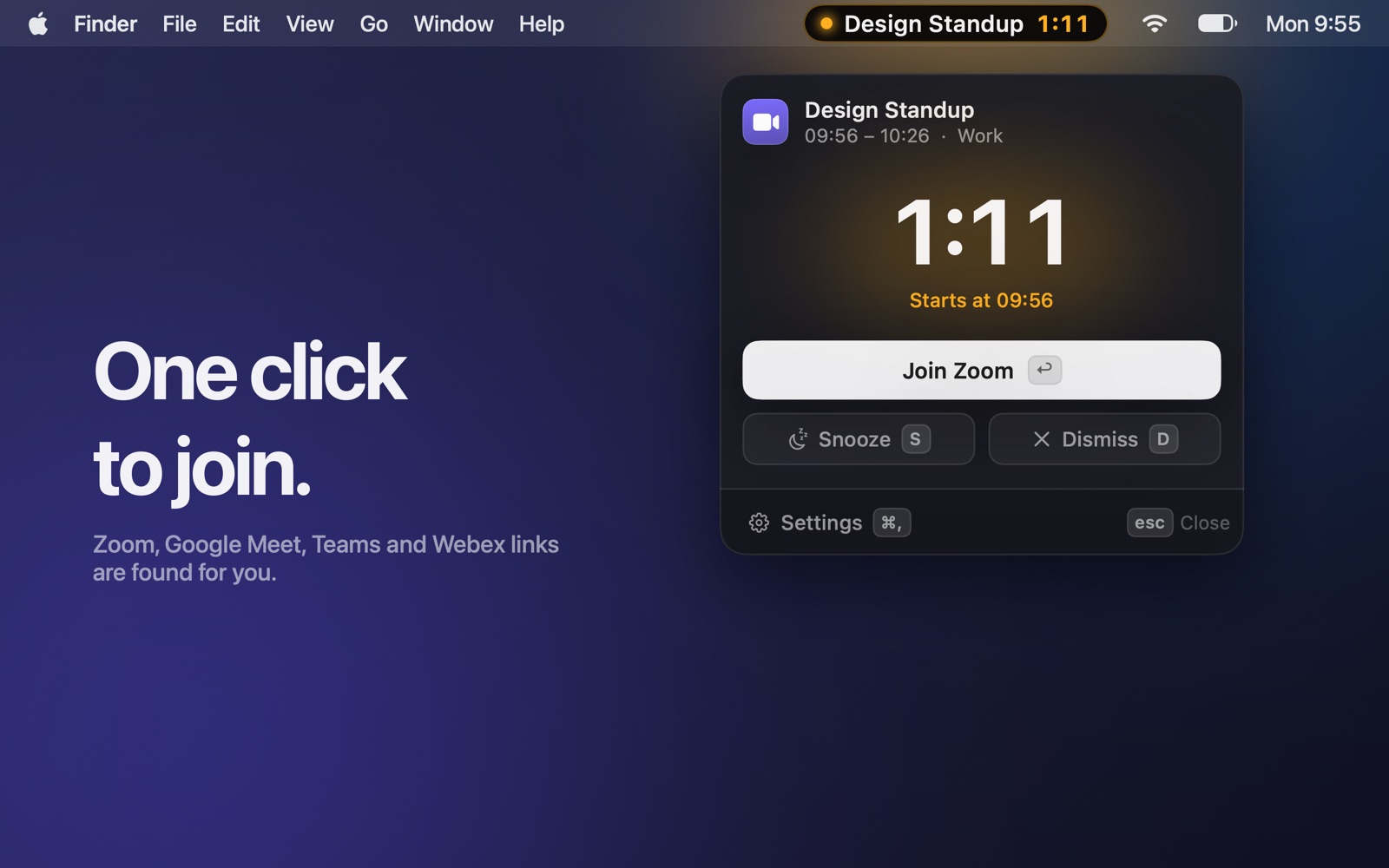
The Join card under the pill, with a large countdown and a Join Zoom button
One click to join. Zoom, Google Meet, Teams, Webex and other call links are found in the event for you. Zoom and Teams open in their apps, not in a browser tab.
An empty menu bar between meetings
Then it's gone. No permanent icon. The menu bar stays quiet until the next meeting is close.
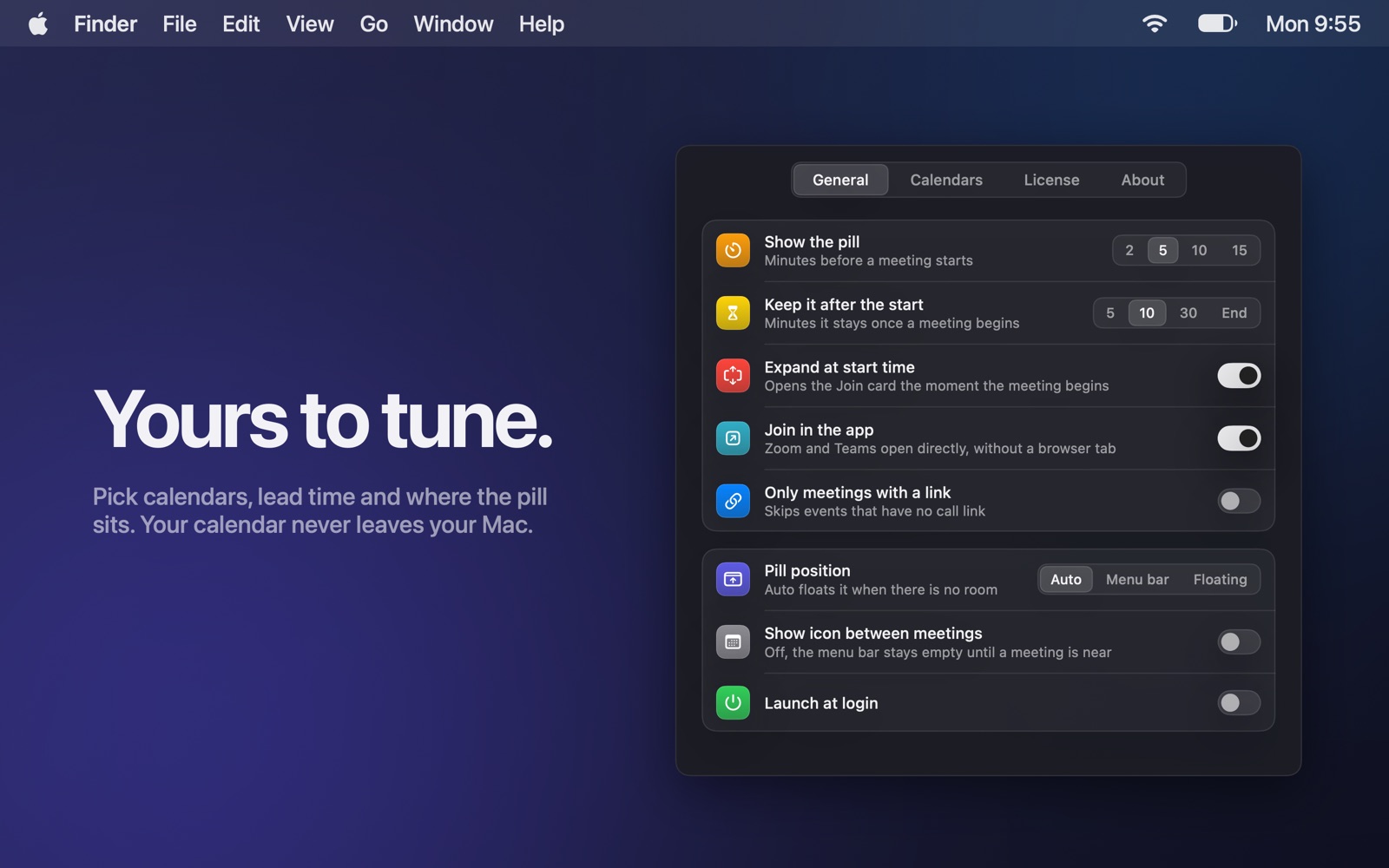
The settings window
Yours to tune. Pick the calendars that count, how early the pill shows up, how long it stays, and where it sits.

Any calendar on your Mac

iCloud, Google, Exchange and anything else you have added in System Settings.

Made for the notch

When the menu bar is too crowded to fit the pill, it floats just under it instead.

Private

Your calendar is read on your Mac and nowhere else. No account, no analytics, no server. Privacy policy

Support

Write to [email protected] and a person will answer.

The pill doesn't appear

My Google or Exchange meetings are missing

Meeting Pill reads the calendars on your Mac. Add the account in System Settings, Internet Accounts, and turn Calendars on for it. Once the events show up in Apple's Calendar app, Meeting Pill sees them too.

I can't see the pill on a Mac with a notch

When the menu bar is too crowded to fit the pill, it floats just under the menu bar instead.

I bought the unlock but the app still says the trial ended

Open Settings, License, and click Restore purchase. Use the same Apple Account you bought it with.

Refunds

Purchases are made through the Mac App Store, so refunds go through Apple at reportaproblem.apple.com.